
- Business

- Education

- Golf Simulation


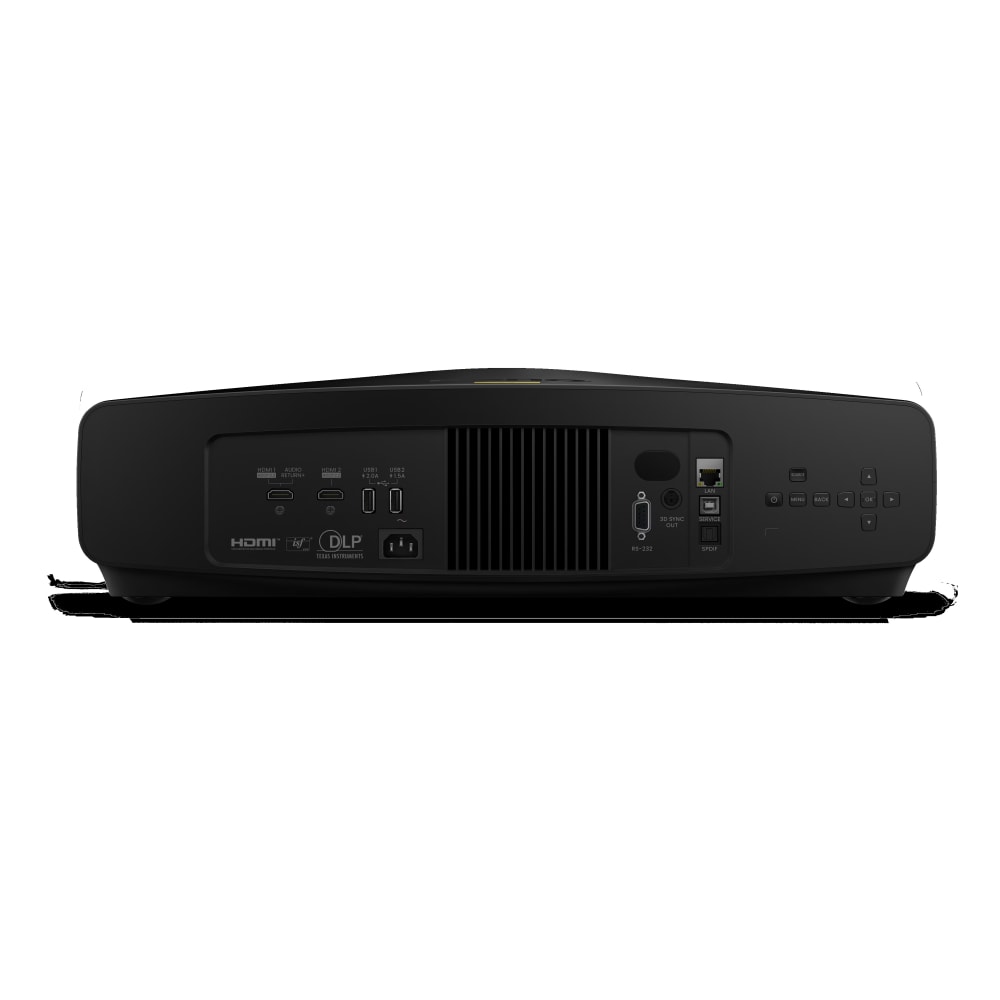

BenQ BR9708

SKU: P6022
Made for dark environments where colour matters more than light power, so a course looks as intended,. Motorised lens shift to keep the unit out of the way.
- 2600 Lumens Brightness (Laser / DLP)
- 4K UHD Resolution – 16:9 Aspect Ratio
- Optional Lenses available
- Projector warranty: 5 Years Pick Up, Repair, Return. Loan Unit Supplied.
- Laser warranty: 5 Years or 20,000 hours
- This models ships lensless as standard.Optional Lens (LS3ST1 / LS3ST2 / LS3ST3)
- Project pricing available
£3,885.00 Excl. VAT

 WishlistIn Wishlist

Quick Links
Projectorpoint Opinion
Interchangeable Lens Options
Select one of three compatible lenses to match your screen size and throw distance.
– LS3ST1 TR 0.5
– LS3ST2 TR 0.7-0.9 (1.3x Motorised)
– LS3ST3 TR 1.0-1.6 (1.6x Motorised)
Brightness decides whether the BenQ BR9708 is right for you. At 2,600 lumens it is not built to fight daylight, and a woven impact screen makes the job harder again, because it has to pass air and take ball strikes and so returns less light than an ordinary screen. In a garage with a window, or any room used with the lights on, you would be disappointed. Give the BR9708 a dedicated space that can be kept dark and it becomes a different proposition, because the focus here has gone into colour rather than light output. Full coverage of DCI P3 and Rec. 709, with every unit calibrated at the factory to a Delta E under 2. A course looks like a course. Grass reads as grass rather than the slightly electric green that bright picture modes tend to produce, skies keep their gradient, and the image sits closer to what you would see in a cinema than on a presentation projector. When the point of a build is that it feels real, that is where you notice it.
The rest of the BR9708 suits a serious room. Motorised lens shift vertically gives real freedom to position it clear of the swing and out of the shadow line, usually the awkward part of a simulator layout, and the zoom range covers a useful spread of distances. Latency is low enough that ball flight arrives without a delay you would notice, and it turns its hand to films or console gaming when nobody is hitting. It runs quietly enough to sit near the player. Two things to plan for. BenQ has not given this a short throw lens, so it needs more distance than a purpose built golf projector, and the mounting position deserves working out properly before anything is fixed. At 10.5kg it is also heavier than the usual simulator projector, so specify the bracket and the fixing to suit.
Manufacturer Overview
BR9708 4K Laser Projector Immersive Installations
Rich Colour, Deep Contrast
Gallery-Ready Colour Fidelity
With 100% DCI-P3 gamut and gallery-ready Simulation Mode, BR9708 keeps colours bright in exhibition lighting, while ultra black optics reveal fine detail in dark spaces. Each unit leaves the line verified at ΔE < 2, ideal for multi-projector blends.
100 % DCI-P3 True to Life Colour
Wide colour gamut covers the full DCI-P3 space, so every hue stays true.
Deep Contrast for Gallery Scenes
The BR9708 keeps colours vivid and delivers deep blacks with high native contrast in low light exhibits.
Simulation Mode
Deliver vibrant colours for vivid images that stand out in artistic and immersive displays.
Factory Colour-Accuracy Report
Each BR9708 includes an individual factory colour-accuracy report that logs gamut, gamma, and ΔE < 2 results before the unit leaves the line.
Installer Ready
Optimised for Multi-Projector Projects from Fast Setup to Long Term Performance
Blending Ready Mode
One-click preset for multi-projector blending to minimise setup effort
*Preset configuration. Automatic edge blending software not included. Additional software or hardware is required to complete edge blending.
BenQ WBA for Seamless Multi-Projector White Calibration
BenQ’s factory white balance adjustment (WBA) reduce variables between images projected from different projectors, significantly reducing manual calibration effort. It can save up to a full day of setup time in large-scale installations while ensuring seamless multi-projector alignment for edge blending.
Full flexibility for ceilings, walls and floors
360° and Portrait Projection for Full Installation Freedom
- 360 degree
- Portrait projection
- Motor Focus, Len Shift
- Quiet by Design – 30dB ultra-low noise ensures immersive experiences without interruption.
- Interchangeable Lens Options – Select one of three compatible lenses to match your screen size and throw distance.
IT takes control
Streamlined Device Management
RS232 & PJLink Control
Manage multiple projectors over industry protocols for power and input from a single console.
Reliable Performance, Less Maintenance
Ensure long-term stability, freeing SI teams to focus on creative installations rather than routine upkeep.

Customer Reviews
Reviews
Need help or advice? Talk to experts!
Projection Calculator

Where can I position the projector?
To achieve an image with 382 cm diagonal size, place the projector anywhere between 449.49 to 945.59 cm from the screen.